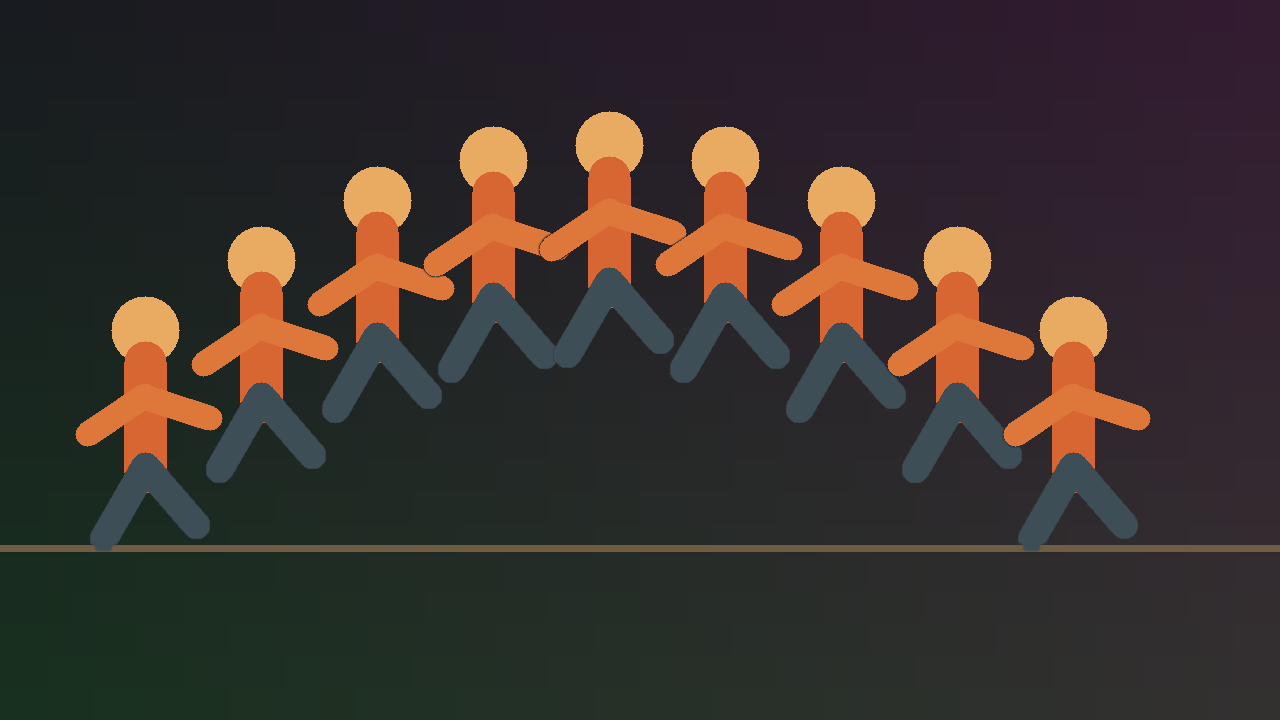
One movement
One photograph
A jump becomes an arc. A trick shows its full path. A dance move becomes a readable sequence.
Project Overview
Chronophoto turns a short action video into one layered motion photograph. Choose the useful moment, decide which poses belong in the sequence, inspect the composite, and export at full resolution—all without uploading your footage.
Core Highlights
- Video-first workflow with ordered photo-stack support
- Range, pose selection, and composite preview in one workspace
- Adjustable motion masks, edge feathering, clean plate, and overlap order
- Full-resolution PNG, TIFF, and JPEG export
- Private processing that keeps source footage on your computer
Technical Stack
Project Status
The workflow
Three decisions, then export
The main path stays short. Technical mask controls remain available when the footage needs them.
- 01
Bring in the action
Drop a short video anywhere in the window, or open an ordered stack of photographs.
- 02
Frame the movement
Set the in and out points, then keep every selected frame or choose a smaller set of poses.
- 03
Export the photograph
Inspect the result, make a small mask adjustment only when needed, and export at full resolution.
Desktop workspace
The whole sequence stays in view
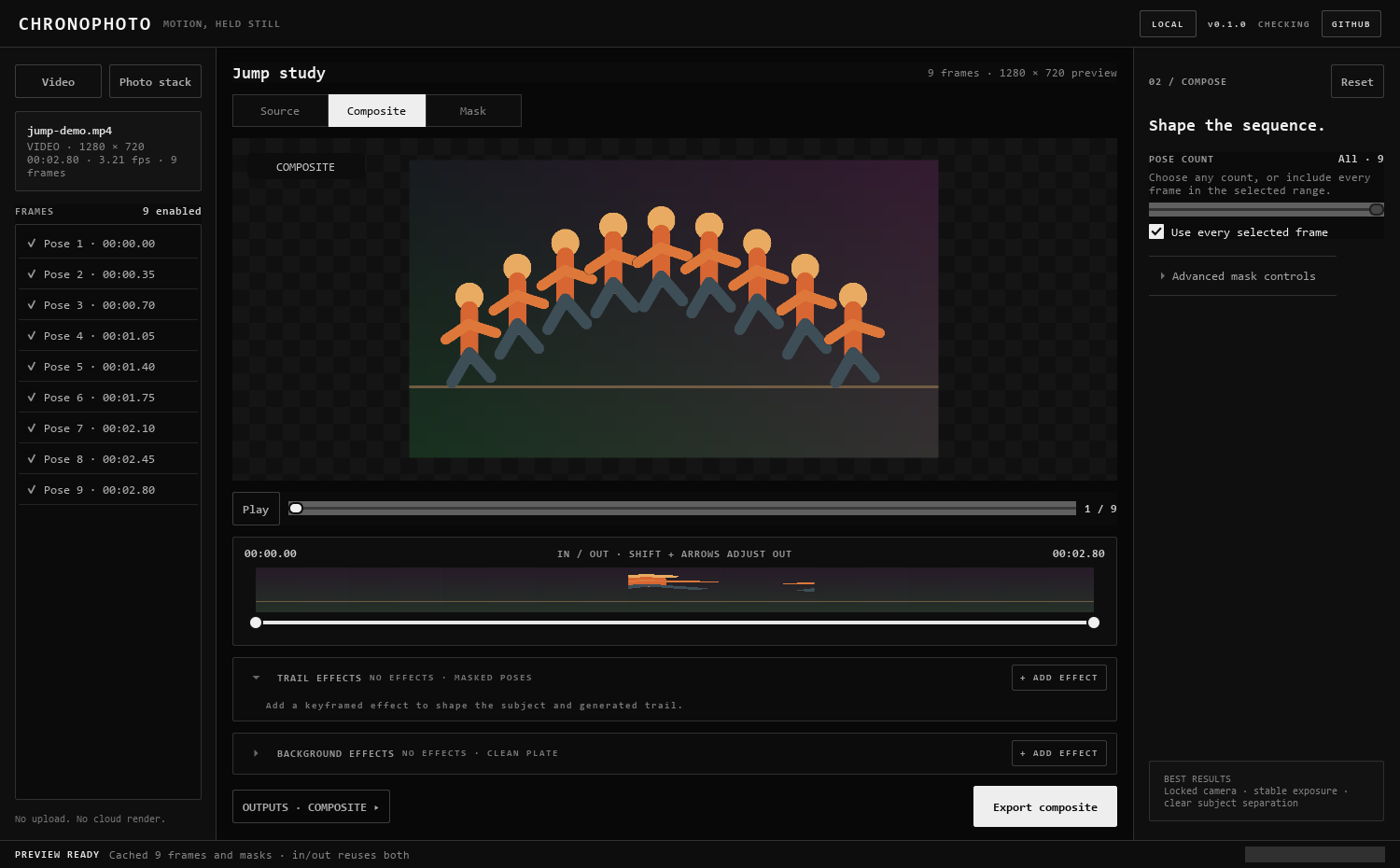
Source frames, composite, timeline, and export stay together. Pinch or use a two-finger scroll to zoom around the pointer, then drag to inspect fine edges.
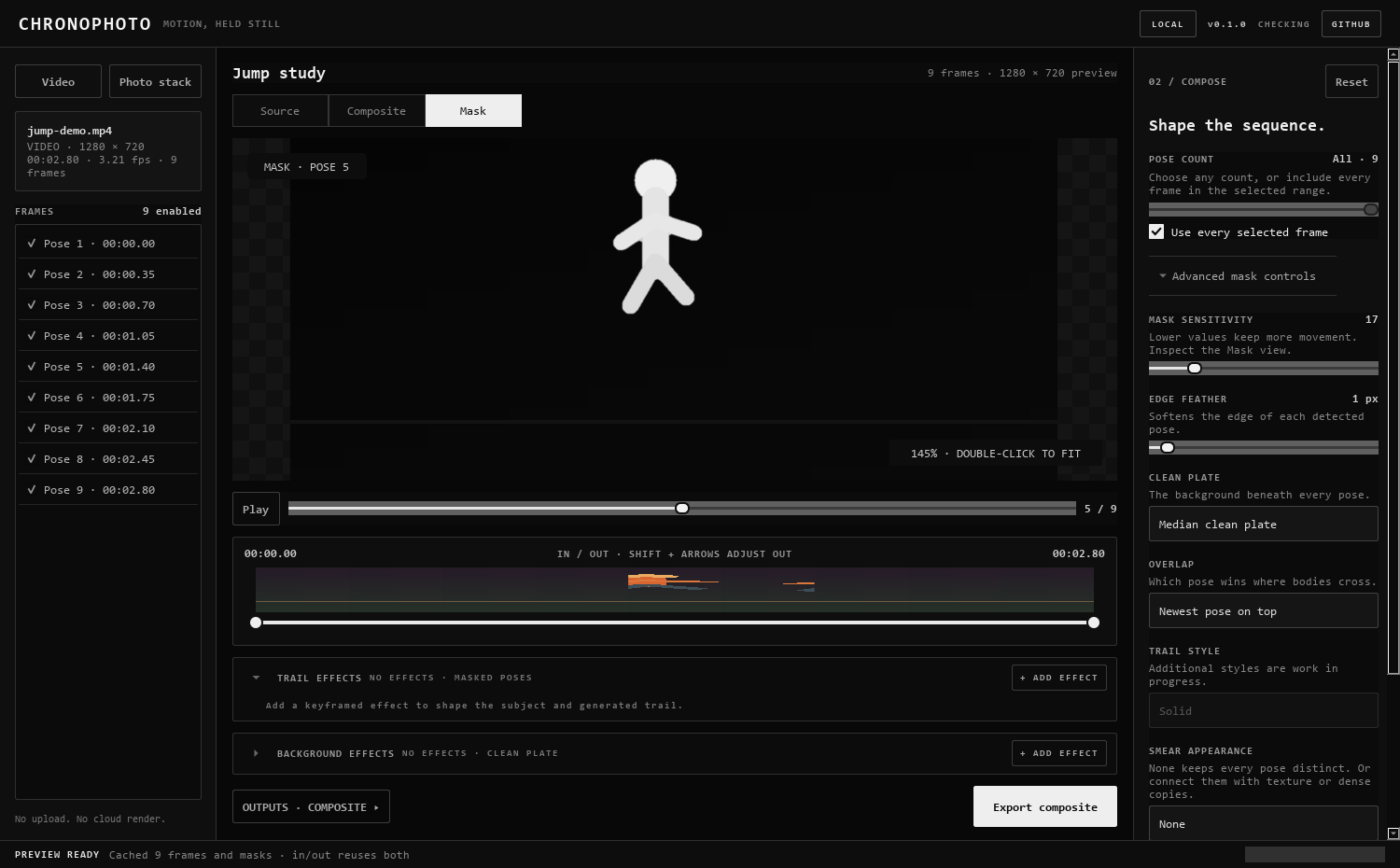
Control when needed
Inspect the edges
Most footage starts with a useful automatic mask. When fine edges, shadows, or overlapping poses need attention, the Mask view shows exactly which pixels Chronophoto will keep.
Local by design
Your footage stays on your computer
There is no upload and no cloud render. Download a release for Windows, macOS, or Linux, or inspect the complete source on GitHub.